TL;DR
- Alpine LinuxなDockerイメージにServerspecを実行する環境をMacとCircleCI上に作った
- CircleCI環境では
lxc-attach コマンドが必要なので、spec_helper.rb で環境差を吸収するようにした
- 今後よく利用しそうなので、流用しやすい形でGithubに置いておいた
前提
最近Kaizen Platform, Inc.で利用している一部Docker ImageをAmazon LinuxベースのものからAlpine Linuxベースのものに置き換え中。
Alpine Linuxについては@stormcat24さんのブログが一番参考になります。
今までDockerイメージにServerspecを実行するときには、コンテナ内でsshdを立てて、ssh経由でknife-soloでプロビジョニングを実行し、その後同じくssh経由でServerspecを流していた。
Alpine Linuxベースに切り替えてから、出来るだけイメージサイズを小さくするためにknife-soloは利用せずに、Dockerfile だけで構築している。(Dockerfileだけが良いかは現在検証中)
knife-soloのためにコンテナ内でsshdを立てる必要はなくなったので、同じくssh経由で実行していたServerspecはdocker-api 経由で実行するようにした。
実行環境
- Mac OS X
- ProductVersion: 10.11.6
- Ruby 2.3.0
- Docker 1.12.0
- CircleCI
- Ruby 2.3.0
- Docker 1.9.1-circleci-cp-workaround
- serverspec 2.36.0
- docker-api 1.31.0
実際の作業
ファイル構成
先に作業後のファイル構成を書いておくと下記のような感じになります。
1
2
3
4
5
6
7
8
9
10
| .
├── Dockerfile
├── Gemfile
├── Gemfile.lock
├── Rakefile
├── circle.yml
└── spec
├── docker
│ └── package_spec.rb
└── spec_helper.rb
|
Gemfile
Gemfileを用意して bundle install
1
2
3
4
5
| source 'https://rubygems.org'
gem 'rake'
gem 'serverspec'
gem 'docker-api'
|
Dockerfile
Dockerfileを用意。debugしやすいようにbashだけ導入
1
2
3
| FROM alpine:3.4
RUN apk add --no-cache bash
|
tagは docker-alpine-serverspec-sample としてbuild。
1
| docker build -t docker-alpine-serverspec-sample .
|
Serverspec各種ファイル
serverspec-init で各種ファイルを作成
1
2
3
4
5
6
7
8
9
10
11
12
13
14
15
16
17
18
19
20
21
| ⇒ serverspec-init
Select OS type:
1) UN*X
2) Windows
Select number: 1
Select a backend type:
1) SSH
2) Exec (local)
Select number: 2
+ spec/
+ spec/localhost/
+ spec/localhost/sample_spec.rb
+ spec/spec_helper.rb
+ Rakefile
+ .rspec
|
生成されるsampleのテストは利用しないので削除
ローカル用の spec_helper.rb
1
2
3
4
5
6
7
8
9
| require 'serverspec'
require 'docker'
set :backend, :docker
set :docker_url, ENV["DOCKER_HOST"]
image = Docker::Image.build_from_dir('.')
set :docker_image, image.id
Excon.defaults[:ssl_verify_peer] = false
|
テストファイルの追加
ディレクトリの作成し、Dockerfileのパッケージインストールに対応するテスト spec/docker/package_spec.rb を追加
1
2
3
4
5
| require 'spec_helper'
describe package('bash') do
it { should be_installed }
end
|
Serverspecの実行
テストの準備が整ったので、Serverspecを流してみる。
問題がなければ下記のようになる。
1
2
3
4
5
| Package "bash"
should be installed
Finished in 1.61 seconds (files took 0.67509 seconds to load)
1 example, 0 failures
|
CircleCI上での実行
ローカルに続いて、CircleCI環境でも動くようにする。
circle.yml の用意
1
2
3
4
5
6
7
8
9
10
11
12
13
14
15
16
17
18
19
20
21
22
23
| machine:
timezone: UTC
ruby:
version: 2.3.0
services:
- docker
dependencies:
pre:
- bundle install
test:
pre:
- docker version
- docker info
- docker build -t ${CIRCLE_PROJECT_REPONAME} . :
timeout: 1200
- docker run ${CIRCLE_PROJECT_REPONAME} &
- sleep 5
override:
- bundle exec rspec
- docker ps -a
- docker images
|
CircleCI でも動くようにspec_helper.rbの修正
公式ドキュメント に記載されているようにCircleCIのDockerでは docker exec が利用できず、 lxc-attach コマンドを利用しないといけないので、spec_helper.rb でMacとの環境差を吸収し、同じコマンドでServerspecが流せるようにする。
元同僚の@ngsが自身のブログに書いていたのでそれを利用。
1
2
3
4
5
6
7
8
9
10
11
12
13
14
15
16
17
18
19
20
21
22
23
24
25
26
27
28
| require 'serverspec'
require 'docker'
set :backend, :docker
set :docker_url, ENV["DOCKER_HOST"]
image = Docker::Image.build_from_dir('.')
set :docker_image, image.id
Excon.defaults[:ssl_verify_peer] = false
# https://circleci.com/docs/docker#docker-exec
if ENV['CIRCLECI']
module Docker
class Container
def exec(command, opts = {}, &block)
command[2] = command[2].inspect # ['/bin/sh', '-c', 'YOUR COMMAND']
cmd = %Q{sudo lxc-attach -n #{self.id} -- #{command.join(' ')}}
stdin, stdout, stderr, wait_thread = Open3.popen3 cmd
[stdout.read, [stderr.read], wait_thread.value.exitstatus]
end
def remove(options={})
# do not delete container
end
alias_method :delete, :remove
alias_method :kill, :remove
end
end
end
|
これで、Mac上でもCircleCI上でも同じ
でテストが実行できるようになった。
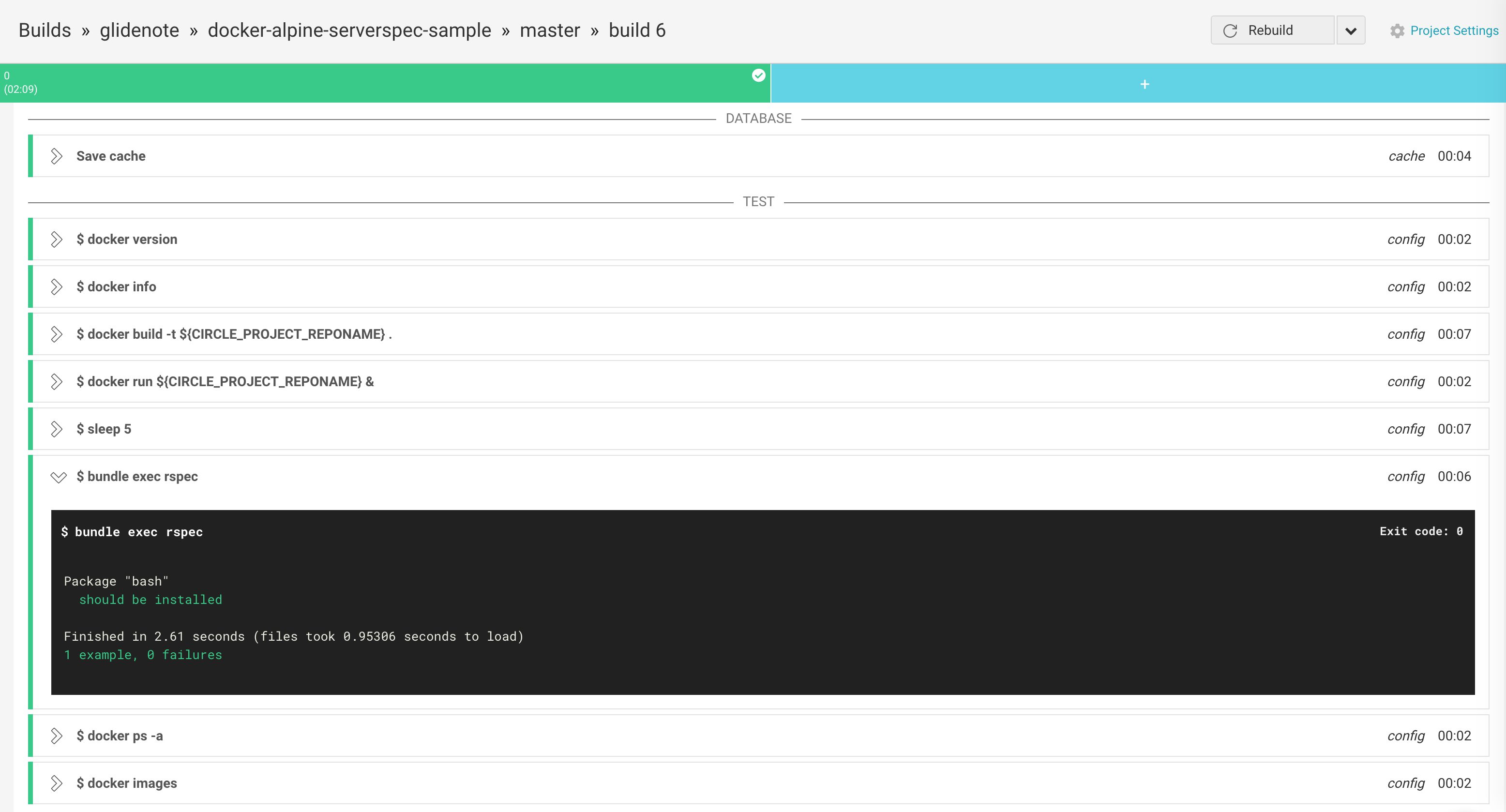
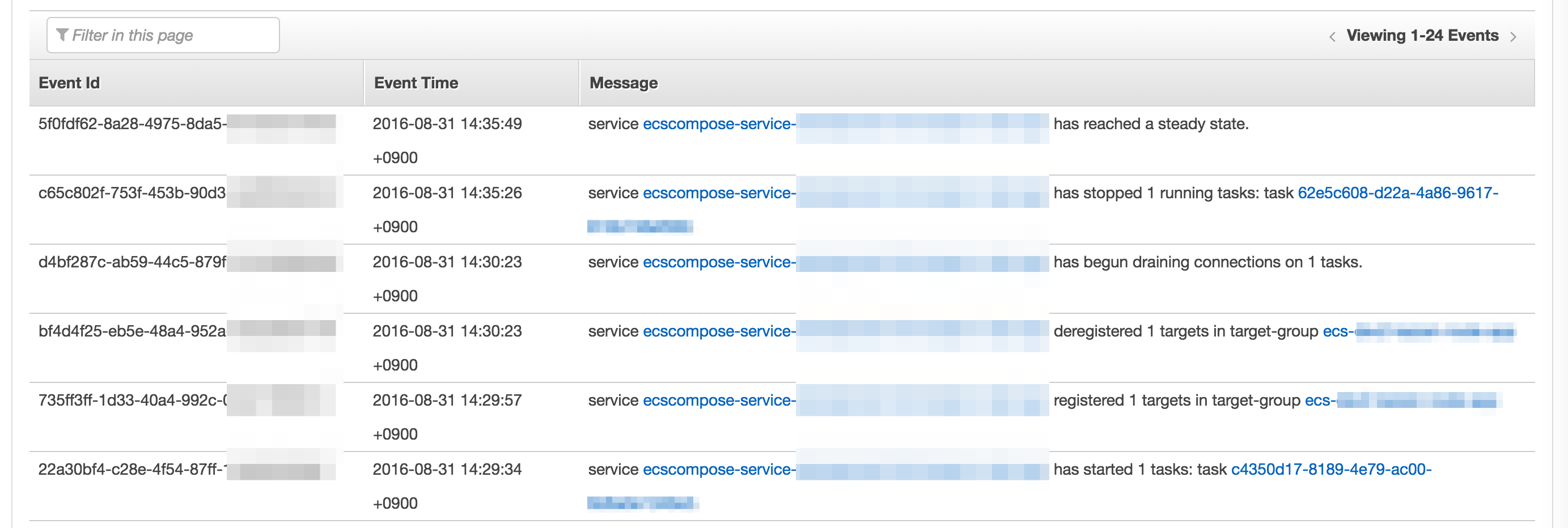
↑の画像のように、イメージのサイズが非常に小さいAlpine Linuxに切り替えてからbuildもtestもすぐに完了するので生産性が高くなった。
参考


 )
)